
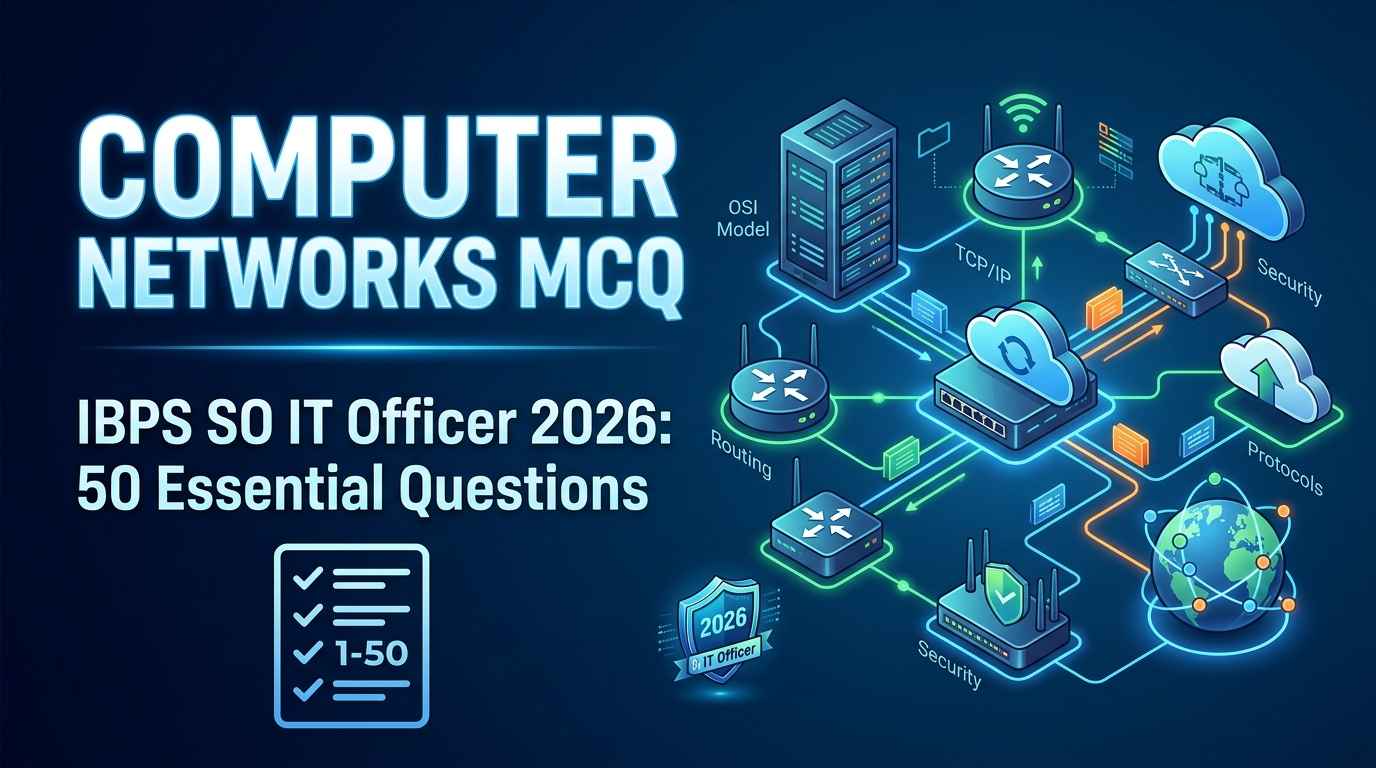
Computer Networks MCQ for IBPS SO IT Officer 2026 is one of the best ways to revise the Professional Knowledge section because networking questions are usually direct, factual, and scoring.
Computer Networks is an important subject for IT Officer exams. Topics like OSI model, TCP/IP model, IP address, DNS, HTTP, HTTPS, FTP, SMTP, TCP, UDP, network devices, routing, switching, and transmission media are repeatedly asked in technical banking exams.
The good thing about Computer Networks is that many questions are memory-based. If you revise important tables and solve enough MCQs, you can improve your score quickly. This article gives you 50 important Computer Networks MCQs with answers for quick practice.
For official exam updates, always check the IBPS official website. If you want complete subject-wise revision, also read our IBPS SO IT Officer Professional Knowledge Notes.
Why Computer Networks Is Important for IBPS SO IT Officer
Computer Networks means connecting computers and devices so they can share data, resources, and services. In banking systems, networking is very important because branches, ATMs, servers, mobile banking apps, internet banking portals, and internal systems need secure communication.
For IBPS SO IT Officer, Computer Networks questions usually come from:
OSI Model
TCP/IP Model
Network Topologies
IP Addressing
Protocols
Ports
TCP and UDP
DNS
HTTP and HTTPS
Network Devices
Routing and Switching
Transmission Media
LAN, MAN, WAN
Network Security Basics
Computer Networks MCQ for IBPS SO IT Officer 2026 practice should be done topic-wise. First revise OSI layers and protocols, then solve MCQs. If you solve questions randomly without revision, many similar terms like TCP, UDP, FTP, SMTP, POP3, IMAP, HTTP, and HTTPS may confuse you.
For complete theory revision, read our detailed article on Computer Networks for IBPS SO IT Officer 2026. For additional reference, you can also use the GeeksforGeeks Computer Networks tutorial.
Important Computer Networks Topics for IBPS SO
| Topic | Priority |
|---|---|
| OSI Model | Very High |
| TCP/IP Model | Very High |
| TCP vs UDP | Very High |
| Network Protocols | Very High |
| IP Addressing | High |
| DNS | High |
| HTTP and HTTPS | High |
| Network Devices | High |
| Routing and Switching | Medium |
| LAN, MAN, WAN | Medium |
| Transmission Media | Medium |
| Network Security | Medium |
If you have less time, revise OSI model, TCP/IP, protocols, port numbers, TCP vs UDP, DNS, HTTP/HTTPS, and network devices first.
You should also revise DBMS and OS side by side. Read DBMS for IBPS SO IT Officer 2026 and Operating System for IBPS SO IT Officer 2026 for complete Professional Knowledge preparation.
Quick Revision Notes Before MCQs
Before starting Computer Networks MCQ for IBPS SO IT Officer 2026, revise these important points.
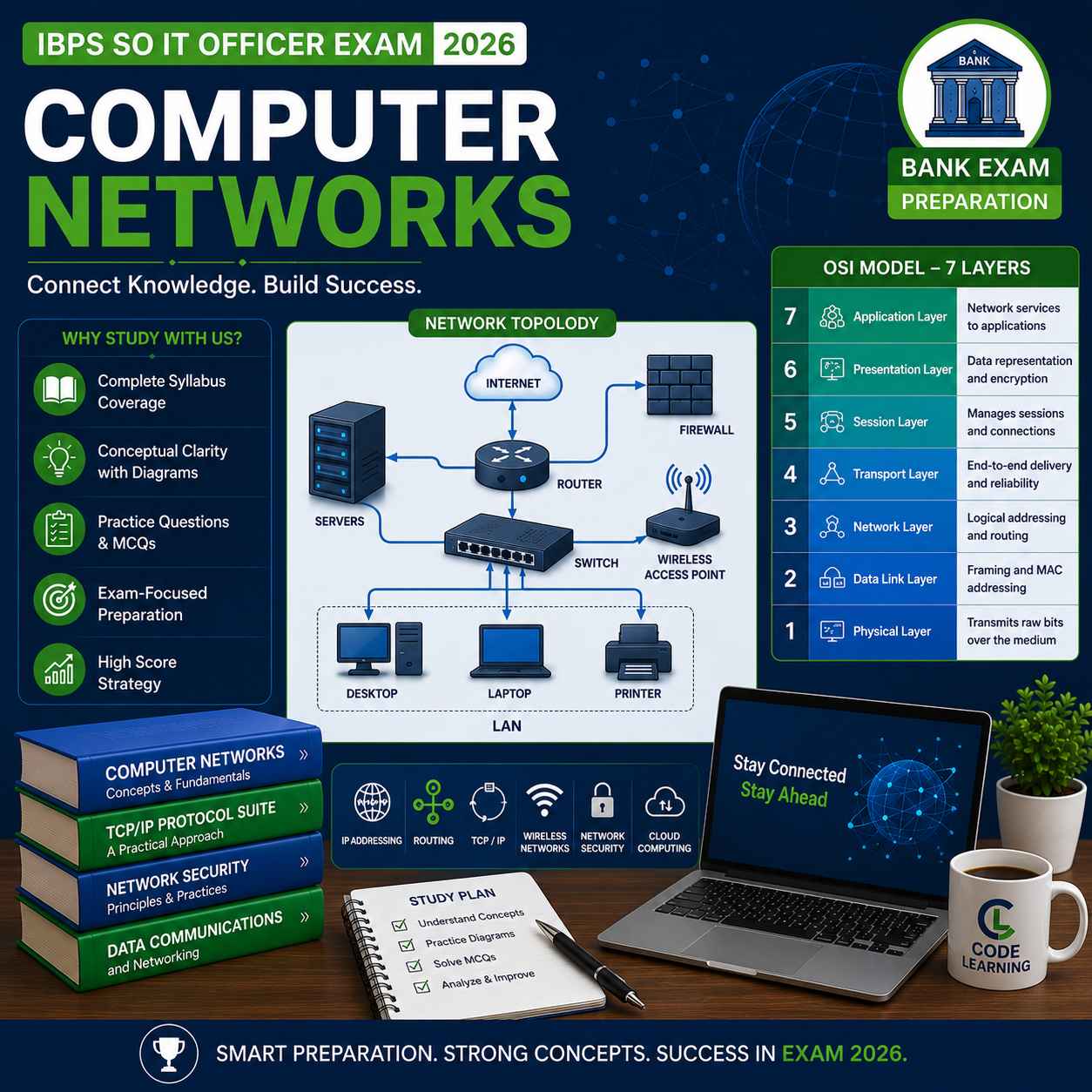
OSI Model Layers
| Layer No. | Layer Name | Main Work |
|---|---|---|
| 7 | Application | User-level network services |
| 6 | Presentation | Encryption, compression, translation |
| 5 | Session | Session management |
| 4 | Transport | End-to-end delivery |
| 3 | Network | Routing and IP addressing |
| 2 | Data Link | MAC address and frames |
| 1 | Physical | Transmission of bits |
Shortcut:
All People Seem To Need Data ProcessingTCP/IP Model
| Layer | Example Protocols |
|---|---|
| Application | HTTP, FTP, SMTP, DNS |
| Transport | TCP, UDP |
| Internet | IP, ICMP |
| Network Access | Ethernet, Wi-Fi |
Important Protocols and Ports
| Protocol | Port | Use |
|---|---|---|
| FTP | 21 | File transfer |
| SSH | 22 | Secure remote login |
| Telnet | 23 | Remote login |
| SMTP | 25 | Sending email |
| DNS | 53 | Domain name resolution |
| HTTP | 80 | Web browsing |
| POP3 | 110 | Receiving email |
| IMAP | 143 | Email access |
| HTTPS | 443 | Secure web browsing |
For protocol details, you can refer to MDN Web Docs on HTTP, especially for HTTP and web communication basics.
Computer Networks MCQ for IBPS SO IT Officer 2026 — 50 Questions with Answers
Q1. Computer network is used to:
A. Store only images
B. Connect computers and share resources
C. Delete data permanently
D. Increase monitor brightness
Answer: B. Connect computers and share resources
Q2. Which of the following is an example of a network?
A. One computer without connection
B. Two computers connected for data sharing
C. A calculator
D. A printer without connection
Answer: B. Two computers connected for data sharing
Q3. LAN stands for:
A. Local Area Network
B. Large Access Network
C. Logical Area Node
D. Local Access Number
Answer: A. Local Area Network
Q4. WAN stands for:
A. Wireless Area Number
B. Wide Area Network
C. Wired Access Node
D. Web Access Network
Answer: B. Wide Area Network
Q5. Which network covers the smallest geographical area?
A. WAN
B. MAN
C. LAN
D. Internet
Answer: C. LAN
Q6. Internet is an example of:
A. LAN
B. WAN
C. PAN only
D. Single computer system
Answer: B. WAN
Q7. OSI model has how many layers?
A. 4
B. 5
C. 7
D. 8
Answer: C. 7
Q8. Which is the first layer of OSI model?
A. Application Layer
B. Network Layer
C. Physical Layer
D. Session Layer
Answer: C. Physical Layer
Q9. Which is the top layer of OSI model?
A. Application Layer
B. Physical Layer
C. Data Link Layer
D. Transport Layer
Answer: A. Application Layer
Q10. Which OSI layer is responsible for routing?
A. Physical Layer
B. Data Link Layer
C. Network Layer
D. Session Layer
Answer: C. Network Layer
Q11. Which OSI layer provides end-to-end delivery?
A. Network Layer
B. Transport Layer
C. Physical Layer
D. Presentation Layer
Answer: B. Transport Layer
Q12. Which OSI layer handles encryption and compression?
A. Presentation Layer
B. Session Layer
C. Transport Layer
D. Data Link Layer
Answer: A. Presentation Layer
Q13. Which OSI layer uses MAC address?
A. Application Layer
B. Data Link Layer
C. Transport Layer
D. Session Layer
Answer: B. Data Link Layer
Q14. Data unit at Physical Layer is:
A. Packet
B. Frame
C. Segment
D. Bits
Answer: D. Bits
Q15. Data unit at Data Link Layer is:
A. Frame
B. Packet
C. Segment
D. Message
Answer: A. Frame
TCP/IP and Protocol MCQs
Q16. TCP/IP model mainly has how many layers?
A. 2
B. 4
C. 7
D. 9
Answer: B. 4
Q17. TCP stands for:
A. Transfer Control Process
B. Transmission Control Protocol
C. Technical Control Program
D. Transmission Code Protocol
Answer: B. Transmission Control Protocol
Q18. UDP stands for:
A. User Datagram Protocol
B. Universal Data Process
C. User Data Program
D. Unified Datagram Port
Answer: A. User Datagram Protocol
Q19. TCP is:
A. Connection-oriented
B. Connectionless
C. Unreliable only
D. Used only for games
Answer: A. Connection-oriented
Q20. UDP is:
A. Connection-oriented
B. Connectionless
C. Always reliable
D. Slower than TCP always
Answer: B. Connectionless
Q21. Which protocol is more reliable?
A. UDP
B. TCP
C. IP only
D. ARP
Answer: B. TCP
Q22. Which protocol is faster but less reliable?
A. TCP
B. UDP
C. FTP
D. SMTP
Answer: B. UDP
Q23. DNS is used to:
A. Convert domain name to IP address
B. Send email
C. Encrypt files
D. Compress images
Answer: A. Convert domain name to IP address
Q24. HTTP stands for:
A. HyperText Transfer Protocol
B. High Text Transfer Process
C. Hyperlink Transfer Program
D. Host Transfer Protocol
Answer: A. HyperText Transfer Protocol
Q25. HTTPS is more secure than HTTP because it uses:
A. Compression only
B. Encryption
C. Plain text communication
D. No protocol
Answer: B. Encryption
Port Number MCQs
Q26. Default port number of HTTP is:
A. 21
B. 25
C. 80
D. 443
Answer: C. 80
Q27. Default port number of HTTPS is:
A. 80
B. 443
C. 110
D. 53
Answer: B. 443
Q28. FTP uses which port number?
A. 21
B. 22
C. 25
D. 53
Answer: A. 21
Q29. SMTP is used for:
A. Sending email
B. Receiving web pages
C. Domain name resolution
D. File compression
Answer: A. Sending email
Q30. SMTP default port is:
A. 21
B. 25
C. 53
D. 110
Answer: B. 25
Q31. DNS commonly uses port:
A. 21
B. 25
C. 53
D. 443
Answer: C. 53
Q32. POP3 is used for:
A. Sending email
B. Receiving email
C. Web browsing
D. Remote login
Answer: B. Receiving email
Q33. SSH default port is:
A. 21
B. 22
C. 23
D. 25
Answer: B. 22
Q34. Telnet default port is:
A. 23
B. 22
C. 80
D. 443
Answer: A. 23
Q35. IMAP is related to:
A. Email access
B. File transfer only
C. Routing only
D. Printing only
Answer: A. Email access
IP Address and Network Device MCQs
Q36. IP address is used to:
A. Identify a device on network
B. Store files
C. Print documents
D. Delete memory
Answer: A. Identify a device on network
Q37. IPv4 address is of:
A. 16 bits
B. 32 bits
C. 64 bits
D. 128 bits
Answer: B. 32 bits
Q38. IPv6 address is of:
A. 32 bits
B. 64 bits
C. 128 bits
D. 256 bits
Answer: C. 128 bits
Q39. Which device connects different networks?
A. Hub
B. Router
C. Keyboard
D. Monitor
Answer: B. Router
Q40. Which device works mainly at Data Link Layer?
A. Switch
B. Router
C. Repeater only
D. Modem only
Answer: A. Switch
Q41. Hub works at which OSI layer?
A. Physical Layer
B. Network Layer
C. Application Layer
D. Transport Layer
Answer: A. Physical Layer
Q42. Router works at which OSI layer?
A. Physical Layer
B. Data Link Layer
C. Network Layer
D. Presentation Layer
Answer: C. Network Layer
Q43. Switch uses:
A. MAC address
B. IP address only
C. Port number only
D. URL only
Answer: A. MAC address
Q44. Router uses:
A. IP address
B. MAC address only
C. File name
D. Email address only
Answer: A. IP address
Q45. Repeater is used to:
A. Amplify or regenerate signal
B. Delete packets
C. Encrypt data
D. Store database
Answer: A. Amplify or regenerate signal
Security and Miscellaneous MCQs
Q46. Firewall is used for:
A. Network security
B. Data entry
C. File naming
D. Printing
Answer: A. Network security
Q47. VPN stands for:
A. Virtual Private Network
B. Visual Public Network
C. Verified Private Node
D. Virtual Program Number
Answer: A. Virtual Private Network
Q48. Which protocol is used for secure remote login?
A. FTP
B. HTTP
C. SSH
D. SMTP
Answer: C. SSH
Q49. MAC address is associated with:
A. Network Interface Card
B. Hard disk only
C. Monitor only
D. Printer paper
Answer: A. Network Interface Card
Q50. Which topology has a central hub or switch?
A. Bus topology
B. Ring topology
C. Star topology
D. Mesh topology
Answer: C. Star topology
Quick Revision Table for Computer Networks
| Topic | Must Remember |
|---|---|
| OSI Layers | 7 layers |
| TCP/IP Model | 4 layers |
| TCP | Reliable, connection-oriented |
| UDP | Fast, connectionless |
| DNS | Domain name to IP address |
| HTTP | Port 80 |
| HTTPS | Port 443 |
| FTP | Port 21 |
| SMTP | Port 25 |
| Router | Network layer |
| Switch | Data link layer |
| Hub | Physical layer |
| IPv4 | 32-bit |
| IPv6 | 128-bit |
| Firewall | Network security |
7-Day Computer Networks Revision Plan
Use this plan after solving Computer Networks MCQ for IBPS SO IT Officer 2026 questions.
| Day | Topic |
|---|---|
| Day 1 | Network basics, LAN, MAN, WAN, topology |
| Day 2 | OSI model layers |
| Day 3 | TCP/IP model, TCP vs UDP |
| Day 4 | Protocols and port numbers |
| Day 5 | IP addressing, IPv4, IPv6 |
| Day 6 | Network devices and security |
| Day 7 | Full revision + 100 MCQs |
Daily routine:
45 minutes theory revision
45 minutes MCQ practice
20 minutes wrong-question notebook
This routine works well because networking has many small facts. If you revise them repeatedly, your accuracy improves.
For more subject-wise preparation, revise Data Structures for IBPS SO IT Officer 2026 and SQL for IBPS SO IT Officer 2026 also.
Common Mistakes Students Make in Computer Networks
The first mistake is confusing OSI and TCP/IP layers. Remember that OSI has 7 layers, while TCP/IP is usually explained with 4 layers.
The second mistake is forgetting port numbers. Port numbers are easy scoring if revised daily. Make a small table of HTTP, HTTPS, FTP, SMTP, DNS, POP3, IMAP, SSH and Telnet.
The third mistake is mixing TCP and UDP. TCP is reliable and connection-oriented. UDP is faster and connectionless.
The fourth mistake is confusing router, switch and hub. Router works with IP address, switch works with MAC address, and hub works at physical layer.
The fifth mistake is solving MCQs without maintaining an error notebook. Your wrong questions are the best revision material.
Frequently Asked Questions
Q1: Is Computer Networks important for IBPS SO IT Officer 2026?
Yes, Computer Networks is important for IBPS SO IT Officer 2026 because questions from OSI model, TCP/IP, protocols, port numbers, IP addressing and network devices are commonly asked in Professional Knowledge.
Q2: What are the most important Computer Networks topics for IBPS SO?
The most important topics are OSI model, TCP/IP model, TCP vs UDP, DNS, HTTP, HTTPS, FTP, SMTP, IP address, router, switch, hub and firewall.
Q3: How many Computer Networks MCQs should I solve before the exam?
You should solve at least 200–300 Computer Networks MCQs before the exam. Focus more on wrong questions and revise those concepts again.
Q4: Which OSI layer is most important for MCQs?
All OSI layers are important, but Network Layer, Transport Layer, Data Link Layer and Application Layer are asked frequently.
Q5: What is the difference between TCP and UDP?
TCP is connection-oriented and reliable. UDP is connectionless and faster but less reliable. TCP is used where accuracy matters, while UDP is used where speed matters.
Q6: Are port numbers important for IBPS SO IT Officer?
Yes, port numbers are important. Revise HTTP 80, HTTPS 443, FTP 21, SMTP 25, DNS 53, POP3 110, IMAP 143, SSH 22 and Telnet 23.
Q7: Which device works at Network Layer?
Router works at Network Layer. It uses IP address to forward packets between different networks.
Q8: How should I revise Computer Networks quickly?
Revise OSI layers, TCP/IP model, protocols, ports, devices and IP addressing. Then solve topic-wise MCQs and maintain a wrong-question notebook.




1 comment on “Computer Networks MCQ for IBPS SO IT Officer 2026: 50 Important Questions”