
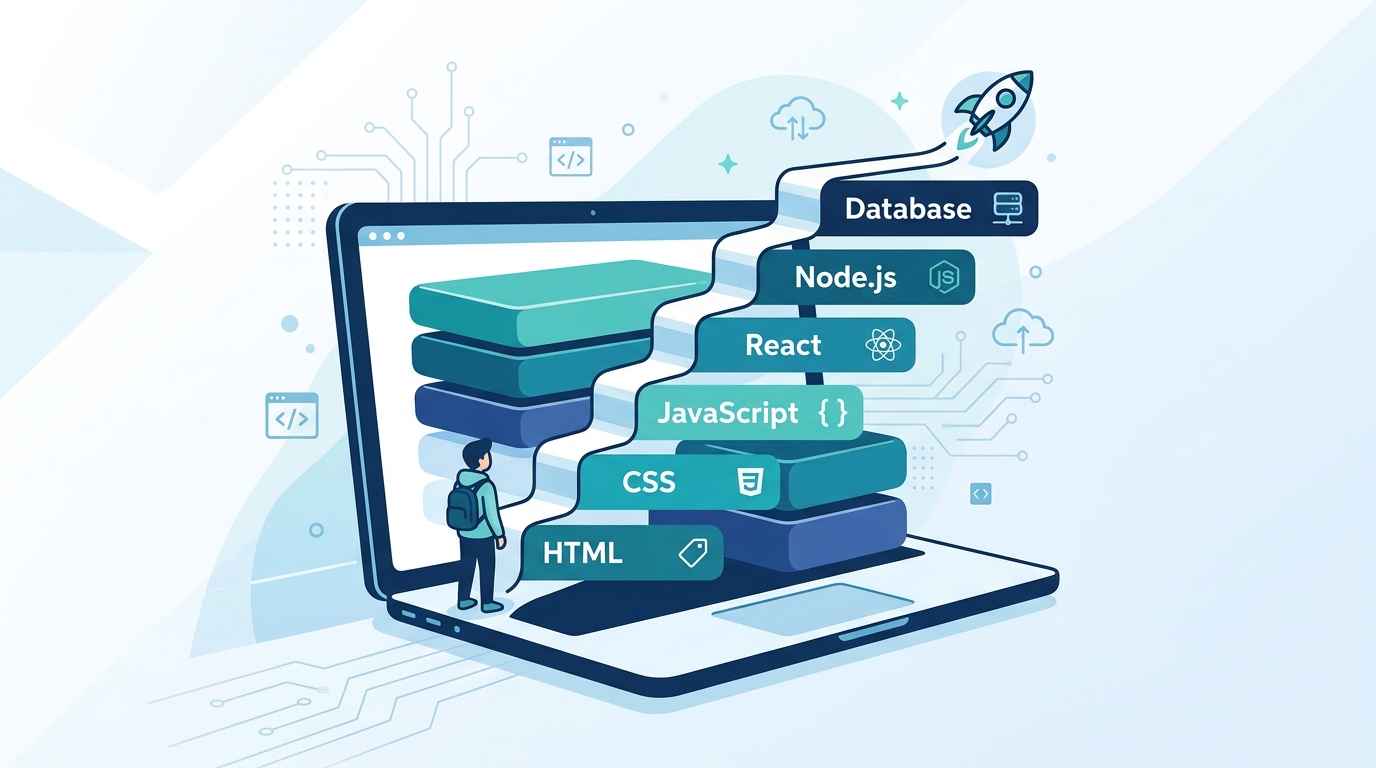
This full stack web development roadmap is built for people who want clarity, not chaos. If you’ve typed “full stack web development roadmap” into Google more than once this month, you’re not alone. Almost every beginner hits the same wall — a hundred YouTube videos, a dozen course bundles, and zero clarity on what to actually learn first.
So let’s fix that right now.
This isn’t a list of 30 technologies you’re supposed to magically know in a month. It’s the order things actually click in, based on how real beginners go from zero to their first working project.
What Does “Full Stack” Even Mean?
Before the roadmap, let’s get the term straight, because it confuses everyone at first.
A website has two halves. The frontend is everything the user sees and clicks — buttons, forms, colors, layout. The backend is everything happening behind the scenes — saving data, checking passwords, talking to a database.
A full stack developer is someone comfortable working on both sides. Not necessarily a master of everything, but capable enough to build a complete, working product end to end.
That’s the goal of this roadmap — getting you to “I can build something real,” not “I memorized every framework that exists.”
Mastering this stage well sets the tone for the rest of your full stack web development roadmap.
Stage 1: HTML and CSS — The Skeleton and the Skin
Every website, no matter how fancy, starts here. HTML gives a page its structure. CSS gives it style.
<!DOCTYPE html>
<html>
<head>
  <title>My First Page</title>
</head>
<body>
  <h1>Hello, World!</h1>
  <p>This is my first web page.</p>
</body>
</html>
h1 {
  color: #1a1a2e;
  font-family: Arial, sans-serif;
}
Spend two to three weeks here. Don’t rush it. Learn:
- Headings, paragraphs, links, images, lists
- Forms and input fields
- CSS selectors, colors, fonts, spacing
- Flexbox and Grid for layout (this is non-negotiable — modern web design runs on these two)
Build small things. A personal bio page. A recipe card. A simple landing page. The goal is comfort, not perfection. The MDN Web Docs HTML and CSS references are the most reliable resource you’ll use at this stage — bookmark them now.
Stage 2: JavaScript — Making the Page Actually Do Something
HTML and CSS make a page look good. JavaScript makes it do things — respond to clicks, validate forms, update content without reloading the page.
const button = document.querySelector("#myButton");

button.addEventListener("click", () => {
  alert("You clicked the button!");
});
Core concepts to focus on for the first month:
// Variables and data types
let name = "Alex";
const age = 25;

// Functions
function greet(user) {
  return `Hello, ${user}!`;
}

// Arrays and loops
const colors = ["red", "blue", "green"];
colors.forEach(color => console.log(color));

// DOM manipulation
document.querySelector("h1").textContent = "Updated!";
This is the stage where most beginners either fall in love with coding or quit. JavaScript has quirks that feel confusing at first — but stick with it for four to five weeks and it starts clicking.
Build a to-do list app. A simple calculator. A quiz game. These three projects alone will teach you more than any tutorial series.
Stage 3: Git and GitHub — Your Safety Net
Before going further, learn version control. This isn’t optional — every developer, beginner or senior, uses Git daily.
git init
git add .
git commit -m "Initial commit"
git push origin main
Git lets you save snapshots of your code so you never lose progress, and GitHub lets you store those snapshots online and show off your projects to potential employers. Spend just three to four days here — it’s a small investment with a massive payoff.
Stage 4: A Frontend Framework in Your Full Stack Web Development Roadmap — React.js
Once you’re solid with JavaScript, it’s time to learn a framework. React is the most in-demand choice in 2026, used by companies of every size.
function Welcome({ name }) {
  return <h1>Hello, {name}!</h1>;
}

function App() {
  const [count, setCount] = useState(0);

  return (
    <div>
      <Welcome name="Developer" />
      <p>You clicked {count} times</p>
      <button onClick={() => setCount(count + 1)}>Click me</button>
    </div>
  );
}
React introduces a new way of thinking — building UIs out of small, reusable components. It takes time to feel natural. Give it four to six weeks.
Build a weather app that pulls data from an API. Build a movie search app. These projects teach you components, state, and working with real data — the actual job of a frontend developer.
This is often the hardest stage in any full stack web development roadmap, so take your time here.
Stage 5: Backend Development — Node.js and Express
Now flip to the other side of “full stack.” Node.js lets you run JavaScript outside the browser, and Express is the framework that makes building a backend server simple.
const express = require("express");
const app = express();

app.get("/api/users", (req, res) => {
  res.json({ users: ["Alice", "Bob", "Charlie"] });
});

app.listen(3000, () => {
  console.log("Server running on port 3000");
});
This is where you learn how data actually moves between a browser and a server. Core concepts to focus on:
- Setting up routes (GET, POST, PUT, DELETE)
- Handling requests and responses
- Middleware
- Connecting to a database
Give this stage four to five weeks. It’s a different kind of thinking than frontend work, and that’s exactly why it’s valuable.
Stage 6: Databases — Where Data Actually Lives
A backend without a database is just a server with nowhere to store anything. You have two main paths here, and beginners should learn at least one well.
MongoDB (NoSQL) — stores data as flexible JSON-like documents. Beginner-friendly and pairs naturally with Node.js.
const user = new User({
  name: "Alice",
  email: "alice@example.com"
});

await user.save();
PostgreSQL or MySQL (SQL) — stores data in structured tables with strict relationships. Slightly steeper learning curve, but extremely valuable for understanding how data really works.
SELECT name, email FROM users WHERE age > 18;
Spend three to four weeks here. Build a simple CRUD (Create, Read, Update, Delete) app that saves real data — a notes app, a contact manager, a simple blog backend.
Stage 7: Putting It All Together — Your First Full Stack Project
Stick to this full stack web development roadmap stage by stage, and the confusion disappears fast — this is the moment everything connects. A full stack project means your React frontend talks to your Express backend, which talks to your database — a complete, working system.
Beginner-friendly full stack project idea: A Task Manager App
- Frontend (React): Users can add, edit, delete, and mark tasks complete
- Backend (Express): API routes to handle task data
- Database (MongoDB or PostgreSQL): Stores tasks permanently
- Authentication (optional but recommended): Simple login system using JWT tokens
This single project, done properly, teaches you more than three months of scattered tutorials. Expect to spend three to four weeks on it. You will get stuck. You will Google error messages at midnight. That’s the actual job — get comfortable with it now.
Stage 8: Deployment — Putting Your Project Online
A project sitting on your laptop doesn’t count for much. Learning to deploy it is what makes it real — and shareable with employers.
- Frontend: Vercel or Netlify — both free, both beginner-friendly, both take minutes to set up
- Backend: Render or Railway — free tiers available, simple deployment process
- Database: MongoDB Atlas (free tier) or a managed PostgreSQL service
Once deployed, you have a live URL you can put on your resume, your LinkedIn, and show to anyone who asks “what have you built?”
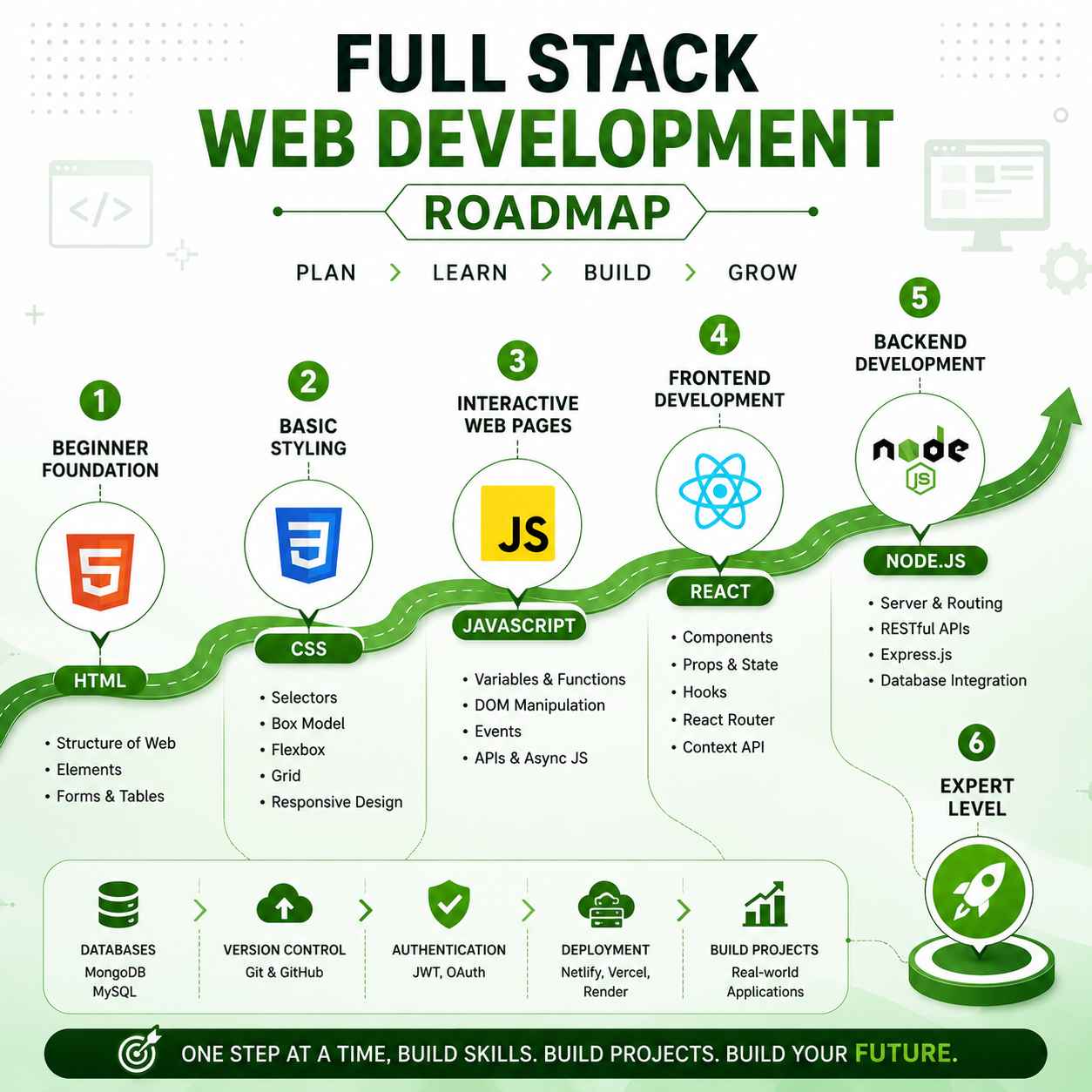
Your Full Stack Roadmap at a Glance
| Stage | Focus | Time Needed |
|---|---|---|
| 1 | HTML & CSS | 2–3 weeks |
| 2 | JavaScript fundamentals | 4–5 weeks |
| 3 | Git & GitHub | 3–4 days |
| 4 | React.js | 4–6 weeks |
| 5 | Node.js & Express | 4–5 weeks |
| 6 | Databases (MongoDB/SQL) | 3–4 weeks |
| 7 | Full stack project | 3–4 weeks |
| 8 | Deployment | 3–5 days |
Total realistic timeline: 5–6 months of consistent, daily practice. Some people move faster, some slower — both are fine. What matters is not skipping stages.
The Biggest Mistake Beginners Make
Jumping straight to frameworks without solid fundamentals.
It’s tempting to skip “boring” HTML/CSS and JavaScript basics and go straight to React because it looks impressive. But React without solid JavaScript underneath is like trying to run before you can walk — you’ll constantly hit walls you can’t explain, let alone fix.
Slow down at the fundamentals. Speed comes later, naturally.
If you’re still unsure which programming language fits your goals before committing to this path, our breakdown of which language is best for software engineering is worth reading first.
Free Resources Worth Your Time
- freeCodeCamp — full curriculum covering HTML, CSS, JavaScript, and React, completely free
- The Odin Project — project-based, structured full stack curriculum
- MDN Web Docs — the most reliable reference for HTML, CSS, and JavaScript
- JavaScript.info — the best deep-dive resource once you outgrow beginner tutorials
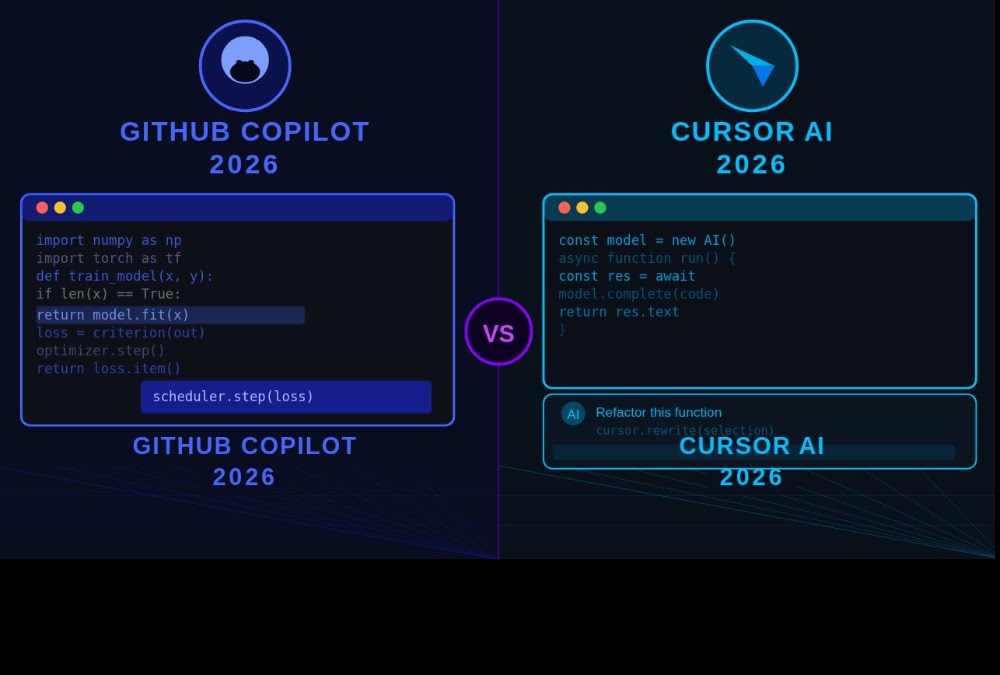
If you also want to speed up your coding workflow once you start building real projects, it’s worth comparing GitHub Copilot vs Cursor AI — both can meaningfully cut down development time once you understand the fundamentals well enough to review what they generate.
Frequently Asked Questions (FAQ)
Q1: How long does it take to become a full stack developer?
For most beginners practicing consistently (1–2 hours daily), a realistic timeline is 5–7 months to build genuine full stack competency — meaning you can independently build, connect, and deploy a complete application. Job-ready polish on top of that usually takes another 1–2 months of project-building and interview prep.
Q2: Should I learn frontend or backend first?
Frontend first, almost always. HTML, CSS, and JavaScript give you visible, motivating results early — you see what you build. Backend concepts make far more sense once you understand what the frontend is actually requesting and displaying.
Q3: Do I need to learn both SQL and MongoDB?
Not at the beginner stage. Pick one and get comfortable with it. MongoDB is generally easier to start with alongside Node.js, while SQL (PostgreSQL/MySQL) is more universally required across the industry. Many developers eventually learn both, but mastering one well beats knowing two poorly.
Q4: Is React necessary, or can I learn another framework?
React isn’t mandatory, but it has the largest job market and community support in 2026. Vue and Angular are valid alternatives, and the underlying concepts (components, state, props) transfer between frameworks. If you’re unsure, React remains the safest first choice for employability.
Q5: Can I become a full stack developer without a computer science degree?
Yes. Full stack development is one of the most accessible tech careers precisely because employers care more about your portfolio and project quality than your degree. A few solid, well-built, deployed projects on GitHub often matter more than a diploma.
Q6: What’s the most common mistake beginners make in this roadmap?
Tutorial-hopping without building original projects. Watching a course feels productive, but real skill comes from staring at a blank file and building something yourself — including all the errors and debugging that come with it.
Q7: Do I need to learn TypeScript as a beginner?
Not immediately. Get comfortable with JavaScript first. TypeScript adds type safety on top of JavaScript and is genuinely valuable, but learning it before JavaScript fundamentals are solid just adds confusion. Treat it as a Stage 9, after this roadmap.
Q8: How much does it cost to learn full stack development?
You can realistically learn the entire roadmap above for free — freeCodeCamp, The Odin Project, MDN Docs, and YouTube cover everything needed. Paid courses can offer structure and accountability, but they are not required to become job-ready.

I like that thisBlog Comment Creation Guide roadmap focuses on learning technologies in a practical sequence instead of overwhelming beginners with every popular framework at once. One thing I’d add is encouraging learners to build small projects after each stage, because applying HTML, JavaScript, Git, and React incrementally makes the transition to a full-stack project much less intimidating.
Great content! Keep up the good work!