
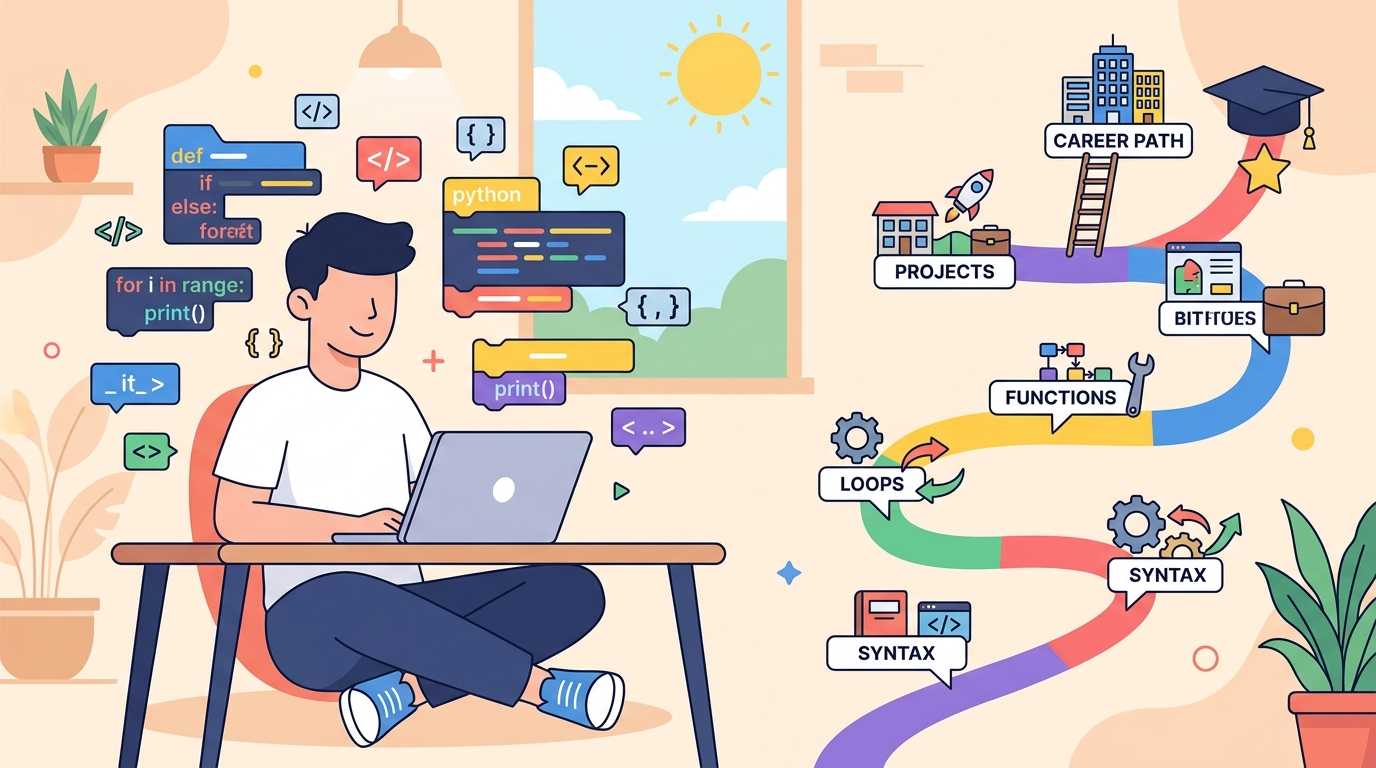
Python roadmap 2026 is for anyone who wants to start coding without getting lost in random tutorials, half-finished courses, and confusing advice on the internet.
Python is not magic. It will not make you a software engineer in 7 days. But it is one of the cleanest languages for beginners because the syntax reads almost like English, the community is huge, and you can use it in multiple directions: web development, automation, data analysis, AI, scripting, testing and even competitive programming basics.
This guide gives you a practical path. Not “learn everything”. Not “watch 100 videos”. You’ll learn what to study first, what to skip in the beginning, which projects to build, and how to know when you’re actually improving.
Why Python Is Still a Smart First Language in 2026
Python works well for beginners because you can write useful programs before learning heavy theory. In languages like C++ or Java, beginners often spend the first few days understanding setup, syntax rules, classes, compilation, and errors. Python removes a lot of that early friction.
That doesn’t mean Python is only for beginners. It is used in backend development, AI tools, data science, machine learning, automation scripts, testing, DevOps tasks, and quick prototypes. The official Python tutorial is still one of the best references when you want accurate syntax and examples straight from the source.
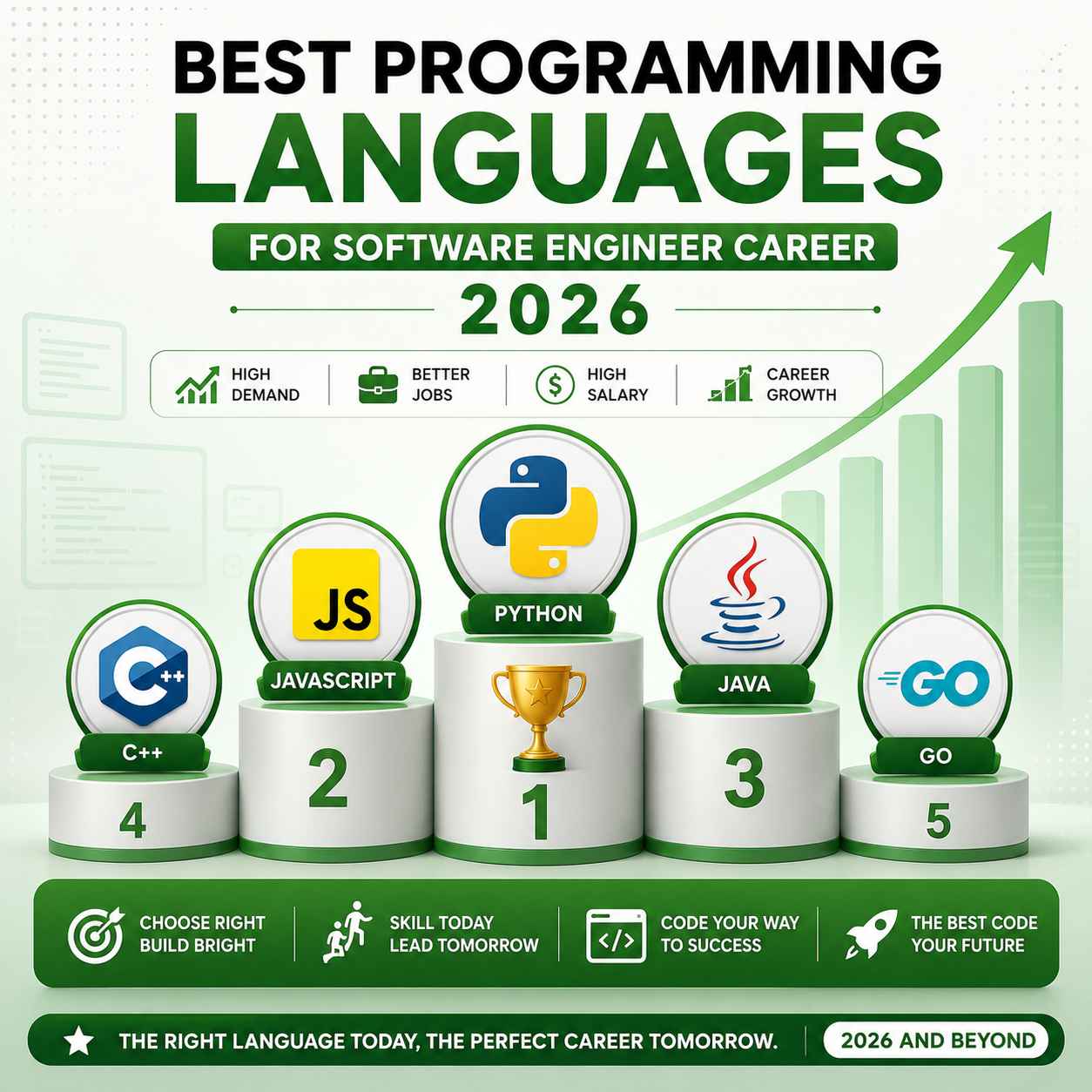
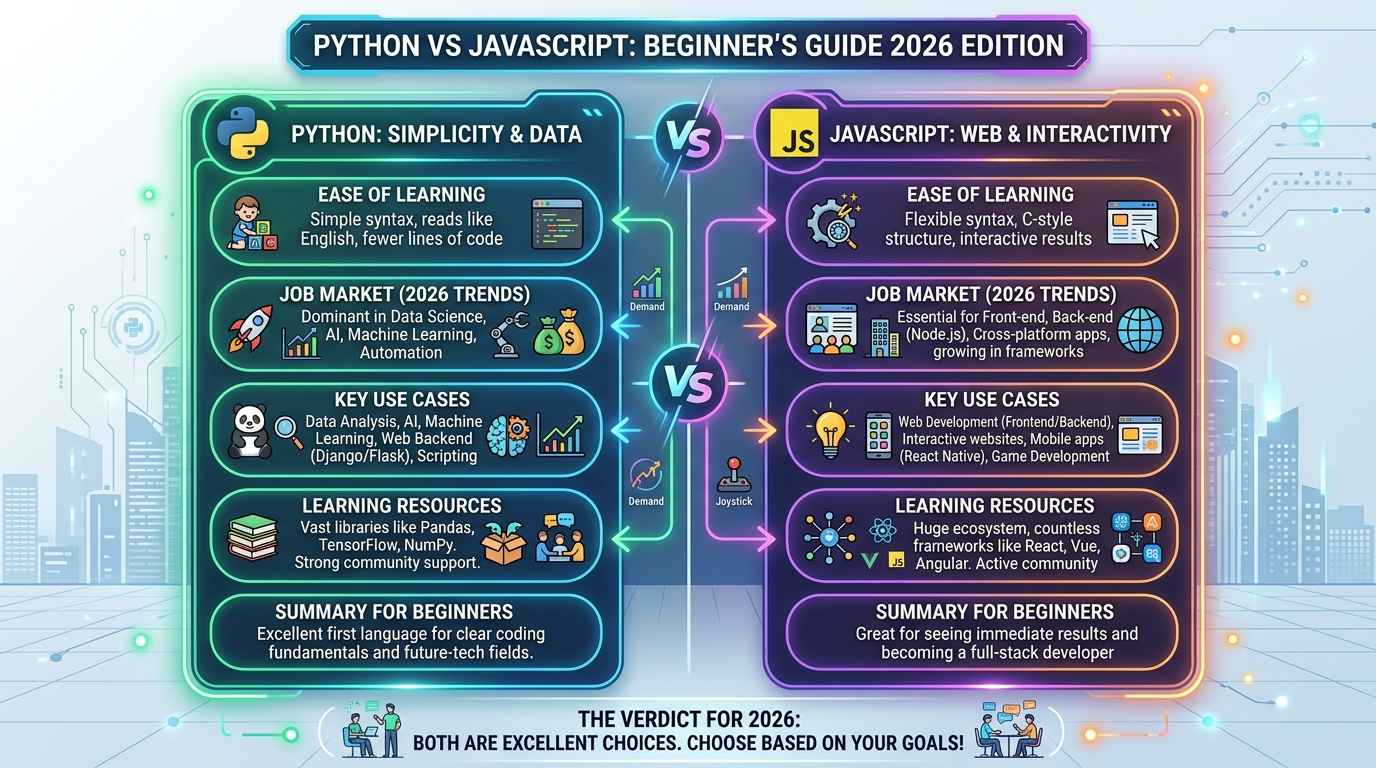
For CodeLearning readers, Python is also a good choice if you’re still confused between multiple languages. If your goal is software development, you can compare paths in our guide on which language is best for software engineer. If you’re stuck between Python and JavaScript, read our comparison on Python vs JavaScript 2026.
The smart move is simple: don’t learn Python like a school subject. Learn it like a tool. Write small programs, break them, fix them, and repeat.
Step 1: Learn Python Syntax Without Overthinking
Start with the basic shape of a Python program: printing output, taking input, using variables, writing comments, and reading error messages. Beginners often try to memorize syntax. That’s not needed. Your first goal is to become comfortable enough to type code without fear.
Try this tiny example:
name = input(“Enter your name: “)
age = int(input(“Enter your age: “))
print(“Hello”, name)
print(“Next year you will be”, age + 1)
This teaches four important things in one go: input, type conversion, variables, and output. You also see why int() matters. User input comes as text, so Python needs to convert it before doing math.
Spend 2–3 days here. Write small variations. Ask for marks, calculate total price, convert Celsius to Fahrenheit, or print a simple bill. Boring-looking programs build real confidence.
Step 2: Understand Variables, Data Types and Operators
Variables are containers for values. Data types tell Python what kind of value you’re working with. The main beginner types are strings, integers, floats, booleans, and lists.
Example:
course = “Python”
lessons_completed = 12
rating = 4.8
is_beginner = True
print(type(course))
print(type(lessons_completed))
print(type(rating))
print(type(is_beginner))
Operators help you calculate, compare, and combine values. You’ll use arithmetic operators like +, -, *, /, comparison operators like >, <, ==, and logical operators like and, or, not.
A real example: suppose you’re making a course discount calculator.
price = 999
discount = 200
final_price = price – discount
print(“Final price:”, final_price)
Don’t rush to advanced topics before this feels easy. If variables and operators are weak, loops, functions, and projects will feel harder than they actually are.
Step 3: Use Conditions and Loops in Real Scenarios
Conditions help your program make decisions. Loops help your program repeat work. Together, they make your code feel alive.
Here’s a simple exam-result checker:
marks = int(input(“Enter your marks: “))
if marks >= 90:
print(“Grade A”)
elif marks >= 75:
print(“Grade B”)
elif marks >= 50:
print(“Grade C”)
else:
print(“You need more practice”)
Now add a loop:
for number in range(1, 6):
print(“Practice problem”, number)
A lot of beginners understand if and for separately, but struggle when both are combined. So practice examples like checking even/odd numbers from 1 to 50, finding the largest number in a list, counting vowels in a word, and printing multiplication tables.
This is also the stage where your logical thinking starts improving. You’ll make mistakes with indentation, range limits, and conditions. Good. Those mistakes are part of learning Python properly.
Step 4: Learn Functions — The Heart of Python Roadmap 2026
Functions help you avoid writing the same code again and again. Instead of copy-pasting logic, you give that logic a name and reuse it.
Example:
def calculate_total(price, quantity):
return price * quantity
total = calculate_total(250, 3)
print(“Total bill:”, total)
This small function can be reused in a shopping cart, billing system, food-ordering app, or invoice generator. That’s why functions are not just a chapter. They are a habit.
After functions, learn how to import modules. Python has built-in modules like math, random, datetime, and os. For example:
import random
otp = random.randint(1000, 9999)
print(“Your OTP is:”, otp)
Now you’re not only writing code; you’re using Python’s existing power. This is where learning becomes more fun because your programs can generate passwords, create dates, pick random quiz questions, or automate small tasks.
Step 5: Learn Lists, Tuples, Dictionaries and Sets
Most real programs deal with collections of data. A student record, shopping cart, quiz app, contact book, leaderboard, or marksheet will need more than one value. That’s where Python collections become important.
A list stores multiple values in order:
subjects = [“Python”, “SQL”, “JavaScript”]
subjects.append(“HTML”)
print(subjects)
A dictionary stores key-value pairs:
student = {
“name”: “Amit”,
“course”: “Python”,
“score”: 85
}
print(student[“name”])
print(student[“score”])
Use tuples when data should not change, and sets when you need unique values. For example, a set is useful when you want to remove duplicate email IDs or unique tags from a blog post.
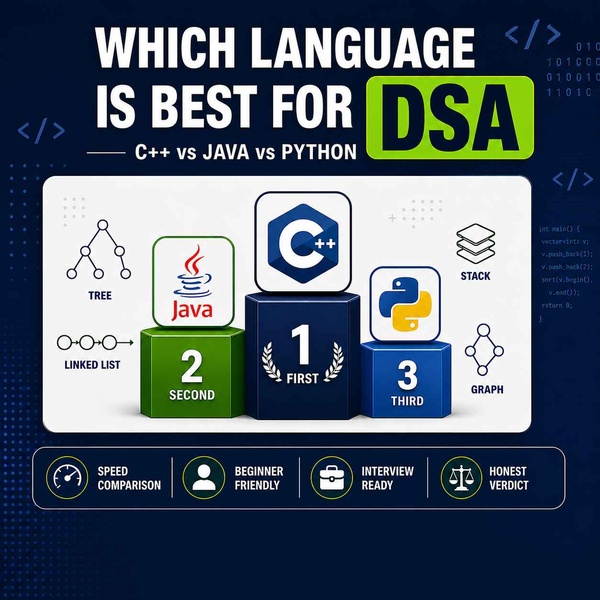
This is a good time to connect Python with DSA basics. You don’t need to become a DSA expert immediately, but lists, strings, dictionaries, and sets are used heavily in coding practice. Our guide on which language is best for DSA can help you decide how Python fits into your problem-solving journey.
Step 6: Practice File Handling and Simple Automation
File handling is where Python starts feeling useful outside the textbook. You can read text files, write reports, save user data, clean CSV files, or automate repetitive work.
Example:
with open(“notes.txt”, “w”) as file:
file.write(“Today I learned Python file handling.”)
with open(“notes.txt”, “r”) as file:
content = file.read()
print(content)
The with keyword automatically closes the file after work is done. This is safer and cleaner than manually opening and closing files.
Once you understand file handling, try small automation tasks: rename multiple files, count words in a text file, save quiz scores, or create a daily expense tracker. These projects may look small, but they teach practical thinking.
At this stage, avoid jumping straight into machine learning. Many beginners do that because it sounds exciting. But without file handling, loops, functions, and data structures, advanced topics become copy-paste learning.
Step 7: Learn OOP Basics Without Fear
Object-Oriented Programming sounds scary, but the beginner idea is simple: group related data and actions together. A class is like a blueprint, and an object is a real thing created from that blueprint.
Example:
class Student:
def __init__(self, name, marks):
self.name = name
self.marks = marks
def show_result(self):
print(self.name, “scored”, self.marks)
student1 = Student(“Riya”, 92)
student1.show_result()
Here, Student is the class. student1 is an object. The __init__ method sets up the object, and show_result() displays data.
You don’t need to master inheritance, polymorphism, decorators, and design patterns at the beginning. First understand class, object, method, attribute, and constructor. That’s enough to read basic Python project code.
OOP becomes more useful when you build projects like a library system, bank account manager, student result system, or simple inventory app. Once you see the pattern in a project, the theory becomes easier.
Step 8: Build Mini Projects Before Big Projects
Projects are the real test of learning. Not certificates. Not playlists. Not copied notes. A small project built by you is more valuable than a big project copied from YouTube.
Start with these mini projects:
| Project | What You Learn |
| Calculator | Functions, operators, input |
| Number guessing game | Loops, random module, conditions |
| Quiz app | Lists, dictionaries, scoring |
| Expense tracker | File handling, lists, totals |
| Password generator | Strings, random module |
| Student marksheet | Dictionaries, functions, formatting |
Don’t try to make everything perfect. Your first project may have messy code. That’s normal. The goal is to finish, test, and improve it.
A good rule: after every 5–6 concepts, build one small project. This keeps your motivation alive and makes revision automatic.
Step 9: Practice Coding Problems Slowly
Coding problems improve your logic, but don’t turn practice into punishment. Beginners often open a problem-solving platform, see hard questions, and feel like quitting. Start with easy questions only.
Practice these first:
1. Check even or odd
2. Reverse a string
3. Count vowels
4. Find maximum number in a list
5. Calculate factorial
6. Check palindrome
7. Print multiplication table
8. Remove duplicates from a list
Solve each problem in your own words before coding. Write the steps in plain English. Then convert those steps into Python.
The freeCodeCamp Scientific Computing with Python course is a solid free resource if you want structured practice. Don’t complete it passively. Pause, type the code yourself, and change examples.
This part of the Python roadmap 2026 is about patience. Logic improves when you solve, fail, debug, and retry. Watching someone solve 50 problems will not give you the same growth as solving 10 problems yourself.
Step 10: Choose a Career Path After Python Basics
After Python basics, choose one direction. This prevents random learning.
If you like websites, move toward backend development with Flask or Django. If you like data, learn NumPy, Pandas, data cleaning, visualization, and basic statistics. If you like automation, learn file handling, Excel automation, web scraping basics, and APIs. If you like AI tools, start with prompt engineering, API usage, and simple chatbot projects.
Your path can look like this:
| Goal | Next Skills |
| Web backend | Flask, Django, REST APIs, SQL |
| Data analysis | Pandas, NumPy, Matplotlib, Excel/CSV |
| Automation | OS module, file handling, scheduling |
| AI projects | APIs, prompt design, basic NLP |
| DSA/interviews | Lists, strings, recursion, sorting, hashing |
Don’t choose a path because someone on YouTube shouted “highest package”. Choose the path where you can build 3–4 projects without getting bored.
Python Roadmap 2026 at a Glance
Here’s a clean weekly plan you can follow without confusion:
| Week | Focus Area | Practice Task |
| Week 1 | Syntax, input/output, variables | Build bill calculator |
| Week 2 | Conditions and loops | Build number guessing game |
| Week 3 | Functions and modules | Build OTP/password generator |
| Week 4 | Lists and dictionaries | Build quiz app |
| Week 5 | File handling | Build expense tracker |
| Week 6 | OOP basics | Build student result system |
| Week 7 | Coding problems | Solve 30 beginner problems |
| Week 8 | Career path project | Build one portfolio-ready project |
You can stretch this to 12 weeks if you’re studying with college, job, or exam preparation. Speed is not the target. Consistency is.
The best routine is 60–90 minutes daily: 20 minutes revision, 40 minutes coding, 20 minutes debugging or notes. Even one focused hour is enough if you’re honest with practice.
Common Mistakes Beginners Should Avoid
The first mistake is tutorial hopping. You start one Python course, then switch to another because the thumbnail says “zero to hero”, then another because it promises AI projects. After two weeks, you have watched a lot but built nothing.
The second mistake is copying code without testing changes. If you copy a calculator project, change the logic. Add tax. Add discount. Add invalid input handling. Make it yours.
The third mistake is ignoring errors. Python error messages look scary at first, but they usually tell you the line number and problem type. Read them slowly. Search the exact error only after you try to understand it.
The fourth mistake is learning advanced libraries too early. Pandas, Django, Flask, TensorFlow, and FastAPI are useful, but they are not day-one topics. Finish the basics first.
A simple Python roadmap 2026 works better than a fancy one. Learn, build, practice, repeat. That’s the whole game.
Free Resources and Next Steps
Use official docs when you need accuracy, and use beginner-friendly tutorials when you need explanation. The official Python tutorial is best for syntax confirmation. freeCodeCamp is good for structured exercises and beginner projects.
For CodeLearning readers, the next step after this guide should be language clarity and career direction. Read which language is best for DSA if your goal is problem solving and placements. Read which language is best for software engineer if you’re choosing a long-term career path. Read Python vs JavaScript 2026 if you’re confused between web development and Python-based roles.
Here’s the most practical advice: keep a coding diary. Every day, write what you learned, what error you faced, and what you fixed. This small habit makes revision easy and shows real progress.
Frequently Asked Questions (FAQ)
Q1: What is the best Python roadmap 2026 for beginners?
The best roadmap is syntax, variables, conditions, loops, functions, collections, file handling, OOP basics, mini projects, and beginner coding problems. Don’t jump to AI or data science before these basics are clear.
Q2: Can I learn Python in 2 months?
Yes, you can learn Python basics in 2 months if you practice daily for 60–90 minutes. You won’t master everything, but you can become comfortable enough to build small projects and solve beginner problems.
Q3: Is Python good for getting a job in 2026?
Python can help with jobs in backend development, automation, testing, data analysis, AI tools, and scripting. For jobs, Python alone is not enough. You also need projects, GitHub, problem-solving, and basic database knowledge.
Q4: Should I learn Python or JavaScript first?
Learn Python first if you want simple syntax, automation, data, AI, or backend basics. Learn JavaScript first if your main goal is frontend web development. Both are good, but your goal should decide the language.
Q5: How many Python projects should a beginner build?
Build at least 5–7 mini projects before moving to advanced topics. A calculator, quiz app, password generator, expense tracker, marksheet system, and file-based notes app are enough to build confidence.
Q6: Do I need mathematics to learn Python?
For basic Python, no advanced mathematics is needed. You need simple arithmetic and logical thinking. If you later choose machine learning, data science, or competitive programming, mathematics becomes more important.
Q7: Which Python topics are most important for beginners?
Variables, data types, conditions, loops, functions, lists, dictionaries, strings, file handling, and basic OOP are the most important beginner topics. These topics appear in almost every real Python project.
Q8: What should I learn after Python basics?
Choose one path: Django/Flask for backend, Pandas/NumPy for data analysis, automation scripts for productivity, or DSA for coding interviews. Don’t try to learn every path at the same time.

1 comment on “Python Roadmap 2026: 10 Smart Steps for Beginners to Learn Coding”