

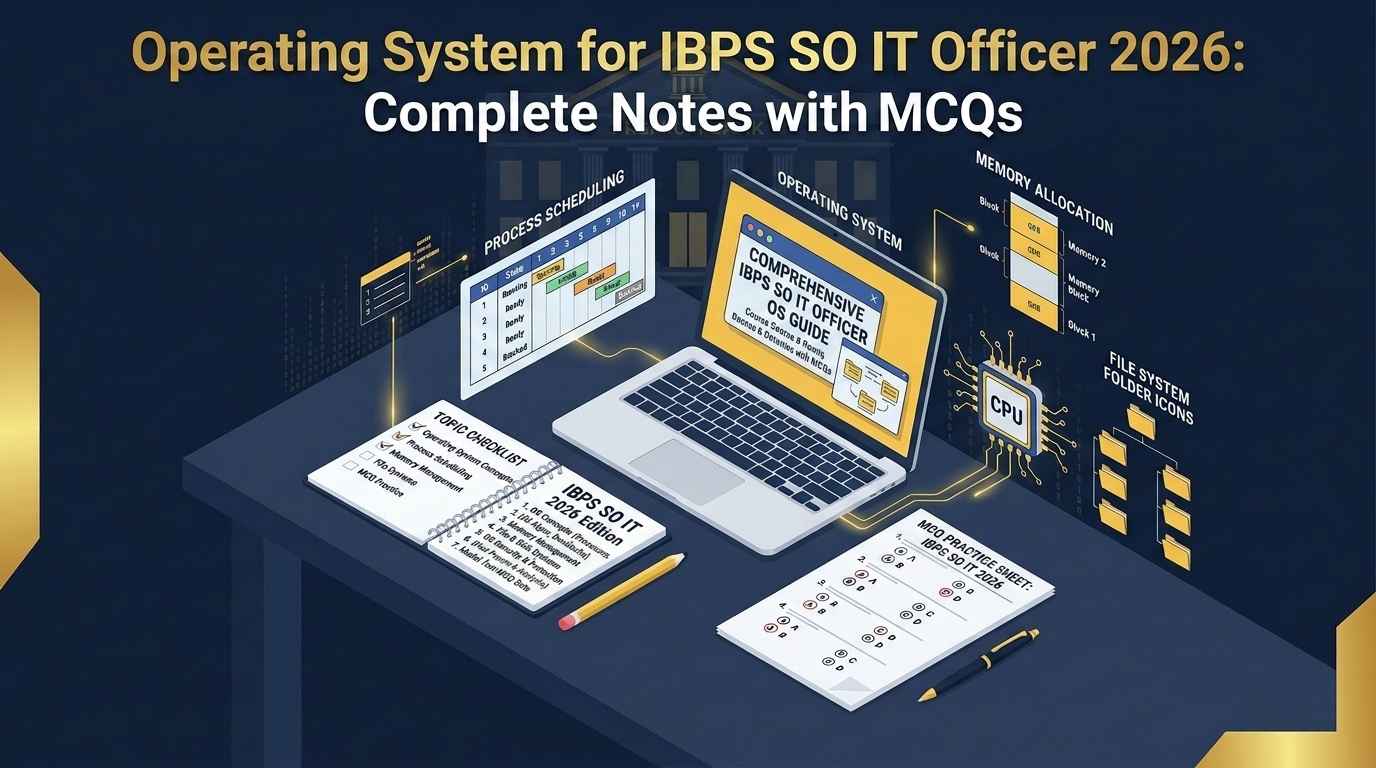
Operating System for IBPS SO IT Officer 2026 is one of the most important topics in the Professional Knowledge section because questions from OS are usually concept-based, direct, and scoring.
If you are preparing for IBPS SO IT Officer, you cannot skip Operating System. Topics like process management, CPU scheduling, deadlock, memory management, paging, segmentation, file system, and semaphores appear again and again in IT exams. The good part is that OS is not difficult if you revise it in the right order.
This article is designed as a complete revision guide. You will get short notes, tables, important concepts, examples, MCQs, and a revision plan. For the official exam updates, always check the IBPS official website. For your complete IT subject preparation, you can also read our IBPS SO IT Officer Professional Knowledge Notes.
Why Operating System Is Important for IBPS SO IT Officer
An Operating System is system software that acts as an interface between the user and computer hardware. It manages resources like CPU, memory, files, input-output devices, and processes.
Examples of operating systems include:
Windows
Linux
macOS
Android
iOS
Unix
For IBPS SO IT Officer, Operating System questions are usually asked from basic and medium-level concepts. You do not need to study very deep research-level OS theory, but you must understand the standard definitions and differences.
The most important OS areas are:
Process Management
CPU Scheduling
Deadlock
Memory Management
Paging and Segmentation
Virtual Memory
File System
Semaphores
Threads
System Calls
If your DBMS and Computer Networks are already strong, OS can become your next high-scoring subject. You can revise DBMS separately from our DBMS for IBPS SO IT Officer 2026 guide.
For extra conceptual reference, you can also check the GeeksforGeeks Operating System tutorial while revising difficult topics.
Operating System for IBPS SO IT Officer 2026: Important Topics
Here is the topic-wise priority list:
| Priority | Topic | Importance |
|---|---|---|
| High | Process Management | Frequently asked |
| High | CPU Scheduling | Formula + concept based |
| High | Deadlock | Very important |
| High | Memory Management | Common in MCQs |
| Medium | Paging and Segmentation | Concept-based |
| Medium | Virtual Memory | Important |
| Medium | File System | Direct questions |
| Medium | Semaphores | Synchronization topic |
| Medium | Threads | Basic difference questions |
| Low-Medium | System Calls | Direct definitions |
If time is limited, revise process, scheduling, deadlock, memory management, paging, and virtual memory first.
1. What is an Operating System?
An Operating System is a program that manages computer hardware and provides services to application software.
Simple definition:
Operating System = Manager of computer resourcesMain functions of OS:
1. Process management
2. Memory management
3. File management
4. Device management
5. Security
6. User interface
7. Error detection
8. Resource allocation
Example:
When you open a browser, play music, download a file, and type in a document at the same time, the OS manages CPU time, memory, input-output devices, files, and background processes.
That is why OS is called a resource manager.
2. Program vs Process
This is a very common exam concept.
| Program | Process |
|---|---|
| Passive entity | Active entity |
| Stored on disk | Loaded in memory |
| Does not execute by itself | Executes under CPU |
Example: .exe file | Running instance of that file |
A program becomes a process when it is loaded into memory and starts execution.
Example:
Chrome browser installed on laptop = Program
Chrome browser currently running = Process
Important point:
One program can create multiple processes.For example, one browser may create separate processes for tabs, extensions, and background tasks.
3. Process States
A process does not stay in one state forever. It moves from one state to another during execution.
Main process states:
| State | Meaning |
|---|---|
| New | Process is being created |
| Ready | Waiting for CPU |
| Running | Currently executing |
| Waiting/Blocked | Waiting for I/O or event |
| Terminated | Execution completed |
Simple flow:
New → Ready → Running → TerminatedIf the process needs input/output:
Running → Waiting → Ready → RunningExample:
If a process is waiting for printer output, it moves to waiting state. When printer response is complete, it returns to ready state.
This topic is very important for Operating System for IBPS SO IT Officer 2026 because many MCQs test process states directly.
4. Process Control Block
PCB stands for Process Control Block. It stores information about a process.
PCB contains:
Process ID
Process state
Program counter
CPU registers
CPU scheduling information
Memory management information
Accounting information
I/O status information
Simple meaning:
PCB = Identity card of a processWhenever the OS switches from one process to another, it saves the current process information in PCB.
This is important for context switching.
5. Context Switching
Context switching means saving the state of one process and loading the state of another process.
Example:
If CPU is executing Process A and then switches to Process B, the OS must save Process A’s current state and load Process B’s state.
Important point:
Context switching is necessary for multitasking but it adds overhead.Why overhead?
Because during context switching, CPU is not doing useful user work. It is busy saving and loading process states.
MCQ line:
Context switching reduces CPU efficiency if it happens too frequently.6. Threads
A thread is the smallest unit of CPU execution. A process can have multiple threads.
| Process | Thread |
|---|---|
| Heavyweight | Lightweight |
| Has separate memory space | Shares memory of process |
| Context switching is slower | Context switching is faster |
| Independent execution unit | Part of a process |
Example:
A browser process may have multiple threads:
One thread for UI
One thread for downloading
One thread for rendering page
One thread for playing video
Threads improve performance because multiple tasks can be handled inside the same process.
7. CPU Scheduling
CPU scheduling decides which process will get CPU next.
Why scheduling is needed?
Because multiple processes may be ready, but CPU can execute only one process at a time.
Main goals of CPU scheduling:
Maximum CPU utilization
Minimum waiting time
Minimum turnaround time
Minimum response time
Maximum throughput
Fairness
Important terms:
| Term | Meaning |
|---|---|
| Arrival Time | Time when process enters ready queue |
| Burst Time | CPU time required by process |
| Completion Time | Time when process finishes |
| Turnaround Time | Completion Time – Arrival Time |
| Waiting Time | Turnaround Time – Burst Time |
| Response Time | First response time – Arrival Time |
Formula:
Turnaround Time = Completion Time - Arrival Time

Waiting Time = Turnaround Time - Burst Time
This formula is very important for numerical scheduling questions.
8. CPU Scheduling Algorithms
FCFS Scheduling
FCFS means First Come First Serve.
The process that arrives first gets CPU first.
Advantages:
Simple
Easy to implement
Disadvantages:
Can cause convoy effect
Average waiting time may be high
Example:
If a long process comes first, smaller processes have to wait.
SJF Scheduling
SJF means Shortest Job First.
The process with the shortest burst time gets CPU first.
Advantages:
Minimum average waiting time
Good for batch systems
Disadvantages:
Difficult to know burst time in advance
Can cause starvation for long processes
Starvation means a process waits for a very long time.
Round Robin Scheduling
Round Robin scheduling uses time quantum.
Each process gets CPU for a fixed time slice.
Example:
Time quantum = 4 msIf a process is not complete in 4 ms, it goes back to the ready queue.
Advantages:
Good for time-sharing systems
Fair for all processes
Disadvantages:
Too small time quantum increases context switching
Too large time quantum behaves like FCFS
Very important MCQ:
Round Robin scheduling is used in time-sharing systems.Priority Scheduling
In Priority Scheduling, CPU is allocated based on priority.
Highest priority process gets CPU first.
Problem:
Low priority process may suffer starvation.Solution:
AgingAging gradually increases the priority of waiting processes.
9. Deadlock
Deadlock occurs when two or more processes wait forever for resources held by each other.
Simple example:
Process P1 holds Resource A and waits for Resource B.
Process P2 holds Resource B and waits for Resource A.
Both keep waiting forever.
This is deadlock.
Deadlock is one of the most important topics in Operating System for IBPS SO IT Officer 2026.
10. Four Necessary Conditions for Deadlock
Deadlock can occur if all four conditions exist together.
| Condition | Meaning |
|---|---|
| Mutual Exclusion | Resource cannot be shared |
| Hold and Wait | Process holds one resource and waits for another |
| No Preemption | Resource cannot be forcibly taken |
| Circular Wait | Processes wait in circular chain |
Shortcut:
M H N C
Mutual Exclusion
Hold and Wait
No Preemption
Circular Wait
If any one condition is removed, deadlock can be prevented.
11. Deadlock Handling Methods
There are four main ways to handle deadlock:
1. Deadlock Prevention
2. Deadlock Avoidance
3. Deadlock Detection
4. Deadlock Recovery
Deadlock Prevention
Break one of the four necessary conditions.
Example:
If circular wait is prevented, deadlock cannot occur.
Deadlock Avoidance
The system checks whether resource allocation keeps the system in a safe state.
Important algorithm:
Banker's AlgorithmBanker’s Algorithm is used for deadlock avoidance.
Deadlock Detection
The system allows deadlock but detects it later.
Deadlock Recovery
After detecting deadlock, the system recovers by:
Terminating processes
Taking resources back
Rolling back process state
12. Memory Management
Memory management is the function of OS that manages main memory.
Main goals:
Allocate memory to processes
Track used and free memory
Protect memory space
Improve memory utilization
Support multitasking
Important memory terms:
| Term | Meaning |
|---|---|
| Logical Address | Address generated by CPU |
| Physical Address | Actual address in memory |
| Address Binding | Mapping program instructions/data to memory |
| Memory Allocation | Assigning memory to process |
13. Paging
Paging is a memory management scheme in which process is divided into fixed-size pages and memory is divided into fixed-size frames.
| Term | Meaning |
|---|---|
| Page | Fixed-size block of process |
| Frame | Fixed-size block of physical memory |
| Page Table | Maps pages to frames |
Important point:
Paging removes external fragmentation.But paging can cause internal fragmentation.
Example:
If page size is 4 KB and process needs 10 KB, it uses 3 pages = 12 KB. The unused 2 KB is internal fragmentation.
14. Segmentation
Segmentation divides a program into variable-sized logical segments.
Examples of segments:
Code segment
Data segment
Stack segment
Function segment| Paging | Segmentation |
|---|---|
| Fixed-size blocks | Variable-size blocks |
| Based on physical memory management | Based on logical program structure |
| Uses page table | Uses segment table |
| Can cause internal fragmentation | Can cause external fragmentation |
Exam point:
Paging is physical division.
Segmentation is logical division.
15. Virtual Memory
Virtual memory allows execution of processes that may not be completely loaded into main memory.
Simple meaning:
Virtual memory gives an illusion of larger memory.It uses disk space as an extension of RAM.
Important concept:
Demand PagingIn demand paging, pages are loaded into memory only when required.
If required page is not in memory, it causes:
Page FaultA page fault occurs when a process tries to access a page that is not currently in physical memory.
For more technical depth, you can refer to TutorialsPoint Operating System notes while revising page replacement and memory topics.
16. Page Replacement Algorithms
When memory is full and a new page is needed, OS must replace an existing page.
Important page replacement algorithms:
| Algorithm | Meaning |
|---|---|
| FIFO | Replace oldest page |
| LRU | Replace least recently used page |
| Optimal | Replace page not needed for longest time |
| LFU | Replace least frequently used page |
Most important:
LRU = Least Recently Used
FIFO = First In First Out
Optimal gives best result but is difficult to implement practically.
17. File System
File system manages files and directories on storage devices.
Main functions:
Create file
Delete file
Read file
Write file
Manage directories
Control access permissions
Track storage location
Common file operations:
open
read
write
close
delete
rename
File attributes:
Name
Type
Size
Location
Protection
Creation time
Modification time
Owner
18. Semaphores
Semaphore is a synchronization tool used to control access to shared resources.
Types of semaphores:
| Type | Meaning |
|---|---|
| Binary Semaphore | Values 0 and 1 |
| Counting Semaphore | Values can be more than 1 |
Main operations:
wait()
signal()
Semaphore helps solve critical section problems.
Important:
Semaphore is used for process synchronization.19. Critical Section
Critical section is the part of program where shared resources are accessed.
Example:
If two processes are updating the same bank account balance, the update section must be protected.
Critical section problem requires:
Mutual Exclusion
Progress
Bounded Waiting
This topic is important because banking systems need correct transaction handling and synchronization.
You can connect this with DBMS transaction concepts from our SQL for IBPS SO IT Officer 2026 article.
20. System Calls
System calls provide interface between user programs and operating system.
Examples:
Process control
File management
Device management
Information maintenance
Communication
Protection
Simple meaning:
A program uses system calls to request OS services.Example:
When a program wants to read a file, it requests the OS through a system call.
Operating System Quick Revision Table
| Topic | Must Remember |
|---|---|
| OS | Resource manager |
| Process | Program in execution |
| Thread | Lightweight process |
| PCB | Stores process information |
| Context Switching | Switching CPU from one process to another |
| FCFS | First process gets CPU first |
| SJF | Shortest burst time first |
| Round Robin | Time quantum based |
| Deadlock | Processes waiting forever |
| Banker’s Algorithm | Deadlock avoidance |
| Paging | Fixed-size memory blocks |
| Segmentation | Logical variable-size blocks |
| Virtual Memory | Illusion of large memory |
| Page Fault | Required page not in memory |
| Semaphore | Synchronization tool |
30 Important MCQs on Operating System for IBPS SO IT Officer 2026
Q1. Operating System is mainly used to manage:
A. Hardware resources only
B. Software resources only
C. Computer resources
D. Internet speed
Answer: C. Computer resources
Q2. A program in execution is called:
A. File
B. Process
C. Thread
D. Command
Answer: B. Process
Q3. PCB stands for:
A. Program Control Block
B. Process Control Block
C. Process Code Block
D. Program Code Binary
Answer: B. Process Control Block
Q4. Which state means the process is waiting for CPU?
A. Running
B. Ready
C. Waiting
D. Terminated
Answer: B. Ready
Q5. Context switching means:
A. Deleting a process
B. Switching CPU from one process to another
C. Increasing memory size
D. Creating a file
Answer: B. Switching CPU from one process to another
Q6. Which scheduling algorithm uses time quantum?
A. FCFS
B. SJF
C. Round Robin
D. Priority Scheduling
Answer: C. Round Robin
Q7. Which scheduling algorithm may cause convoy effect?
A. FCFS
B. Round Robin
C. Priority
D. Multilevel Queue
Answer: A. FCFS
Q8. Which scheduling algorithm gives CPU to the shortest burst time process?
A. FCFS
B. SJF
C. Round Robin
D. FIFO
Answer: B. SJF
Q9. Starvation can be solved using:
A. Paging
B. Aging
C. Fragmentation
D. Segmentation
Answer: B. Aging
Q10. Deadlock occurs when processes:
A. Execute quickly
B. Wait forever for resources
C. Use less memory
D. Complete successfully
Answer: B. Wait forever for resources
Q11. How many necessary conditions are required for deadlock?
A. 2
B. 3
C. 4
D. 5
Answer: C. 4
Q12. Which is not a necessary condition for deadlock?
A. Mutual exclusion
B. Hold and wait
C. Circular wait
D. Multiprocessing
Answer: D. Multiprocessing
Q13. Banker’s Algorithm is used for:
A. CPU scheduling
B. Deadlock avoidance
C. File allocation
D. Page replacement
Answer: B. Deadlock avoidance
Q14. Paging divides process into:
A. Segments
B. Pages
C. Threads
D. Files
Answer: B. Pages
Q15. Physical memory is divided into:
A. Pages
B. Frames
C. Segments
D. Blocks only
Answer: B. Frames
Q16. Paging mainly removes:
A. Internal fragmentation
B. External fragmentation
C. Deadlock
D. Starvation
Answer: B. External fragmentation
Q17. Segmentation is based on:
A. Fixed-size blocks
B. Logical division of program
C. Only CPU speed
D. File size
Answer: B. Logical division of program
Q18. Virtual memory gives illusion of:
A. Smaller memory
B. Larger memory
C. No memory
D. Only cache memory
Answer: B. Larger memory
Q19. Page fault occurs when:
A. Page is in memory
B. Page is not in memory
C. CPU is idle
D. File is deleted
Answer: B. Page is not in memory
Q20. LRU stands for:
A. Last Recently Used
B. Least Recently Used
C. Long Run Utility
D. Low Resource Usage
Answer: B. Least Recently Used
Q21. FIFO page replacement removes:
A. Newest page
B. Oldest page
C. Smallest page
D. Largest page
Answer: B. Oldest page
Q22. Semaphore is used for:
A. Process synchronization
B. File compression
C. Virus scanning
D. Printing only
Answer: A. Process synchronization
Q23. Binary semaphore can have values:
A. 0 and 1
B. 1 and 2
C. 2 and 3
D. Any negative value
Answer: A. 0 and 1
Q24. Critical section is a part of program where:
A. CPU is stopped
B. Shared resource is accessed
C. File is deleted
D. Internet is connected
Answer: B. Shared resource is accessed
Q25. A thread is also called:
A. Heavyweight process
B. Lightweight process
C. Dead process
D. File process
Answer: B. Lightweight process
Q26. Which memory management technique uses page table?
A. Paging
B. Scheduling
C. Deadlock
D. File allocation
Answer: A. Paging
Q27. Which algorithm gives theoretically minimum page faults?
A. FIFO
B. LRU
C. Optimal
D. Random
Answer: C. Optimal
Q28. File system is used to manage:
A. Only CPU
B. Files and directories
C. Only RAM
D. Only keyboard
Answer: B. Files and directories
Q29. System calls provide interface between:
A. User program and OS
B. CPU and monitor only
C. RAM and hard disk only
D. Keyboard and mouse
Answer: A. User program and OS
Q30. Round Robin scheduling is mainly used in:
A. Batch systems
B. Time-sharing systems
C. File systems
D. Deadlock systems
Answer: B. Time-sharing systems
Last 7 Days Revision Plan for OS
| Day | Topics |
|---|---|
| Day 1 | OS basics, process, PCB, process states |
| Day 2 | CPU scheduling algorithms |
| Day 3 | Deadlock and Banker’s Algorithm |
| Day 4 | Memory management, paging, segmentation |
| Day 5 | Virtual memory and page replacement |
| Day 6 | File system, semaphores, critical section |
| Day 7 | Full revision + 100 MCQs |
Daily practice rule:
Revise notes for 45 minutes
Solve MCQs for 45 minutes
Write mistakes in error notebook
Revise wrong questions next day
This is the fastest way to improve your score.
Final Thought
Operating System for IBPS SO IT Officer 2026 is a scoring subject if you revise it with short notes and MCQs. Do not study OS like a full semester subject. Focus on exam-oriented topics like process management, scheduling, deadlock, memory management, paging, segmentation, virtual memory and semaphores.
Your target should be simple:
Clear concepts
Revise differences
Practice MCQs
Repeat weak topics
If you revise OS along with DBMS, SQL, Computer Networks and Data Structures, your Professional Knowledge preparation will become much stronger. For complete subject-wise preparation, also read the IBPS SO IT Officer Syllabus 2026 and Computer Networks for IBPS SO IT Officer 2026.
Frequently Asked Questions
Q1: Is Operating System important for IBPS SO IT Officer 2026?
Yes, Operating System is important for IBPS SO IT Officer 2026 because questions from process management, scheduling, deadlock, memory management, paging and virtual memory are commonly asked in IT exams.
Q2: Which OS topics should I study first for IBPS SO IT Officer?
Start with process management, process states, PCB, CPU scheduling, deadlock, paging, segmentation, virtual memory and semaphores. These are high-priority topics.
Q3: Is CPU scheduling asked in IBPS SO IT Officer?
Yes, CPU scheduling is important. Revise FCFS, SJF, Round Robin, Priority Scheduling, waiting time, turnaround time and time quantum.
Q4: What is the most important deadlock topic for IBPS SO?
The four necessary deadlock conditions, Banker’s Algorithm, deadlock prevention, avoidance, detection and recovery are important.
Q5: What is the difference between paging and segmentation?
Paging divides memory into fixed-size blocks, while segmentation divides a program into logical variable-size segments. Paging uses page table, and segmentation uses segment table.
Q6: How many MCQs should I solve for OS preparation?
Solve at least 150–200 Operating System MCQs before the exam. Focus more on wrong questions and revise their concepts again.
Q7: Can I complete Operating System revision in 7 days?
Yes, if your basics are clear. Revise one major topic daily and solve MCQs after each topic. Use an error notebook for mistakes.
Q8: What should I revise one day before the exam?
Revise process states, scheduling algorithms, deadlock conditions, Banker’s Algorithm, paging, segmentation, virtual memory, page replacement and semaphores.













3 comments on “Operating System for IBPS SO IT Officer 2026: Complete Notes with MCQs”